What is virtual staging? A plain guide for listing photos
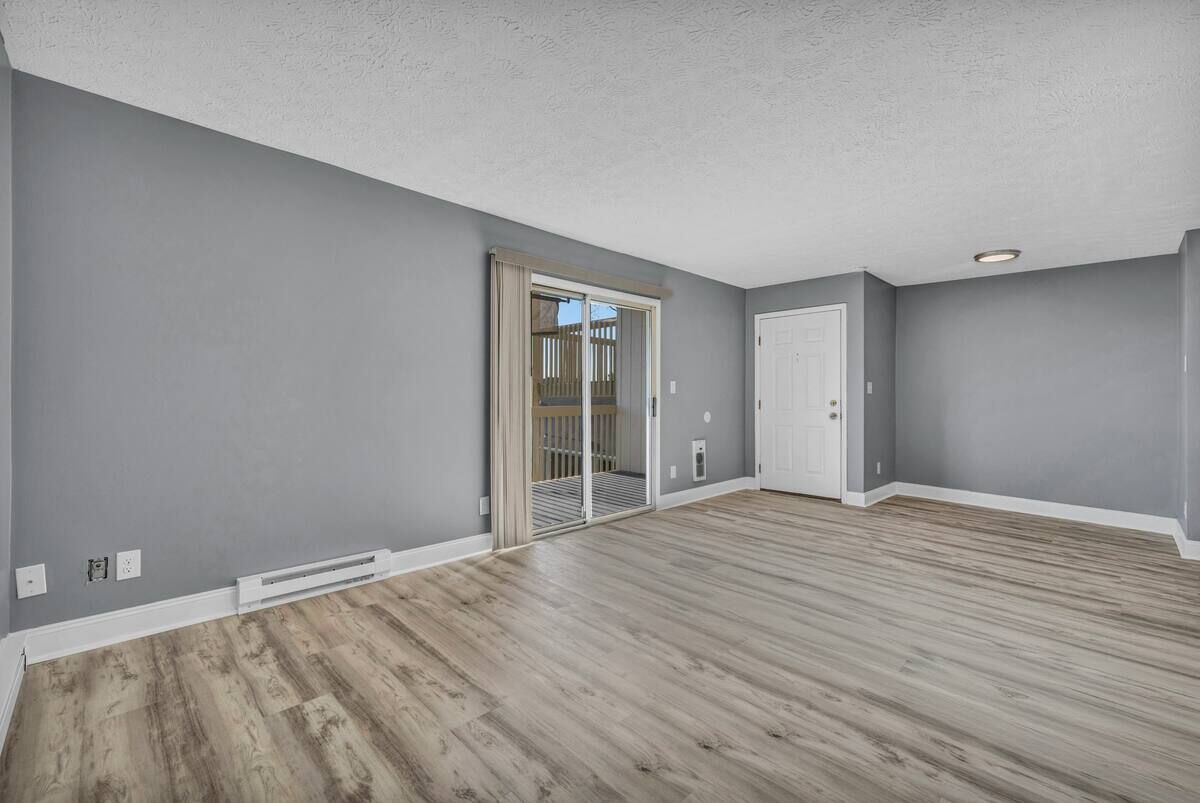
Virtual staging adds furniture and decor to a photo of an empty room to show how the space could be used. The goal is to preserve the photographed room; compare the result with the original before publishing and label it as virtually staged.
How does virtual staging work?
Three steps, whatever tool you use:
- You photograph the empty room.
- Furniture and decor are added to that photo digitally, in a style you choose.
- The staged image goes into the listing with a label saying it is virtually staged, ideally next to the original.
Nothing is moved into the house. Buyers see the staged photo online and the empty room at a showing, which is why the label matters.

AI virtual staging vs human-edited services
AI tools generate the furniture automatically. They usually cost less per photo and you can try several looks. The risk is that a generator may also change things you did not ask it to change, so every image needs a check.
Human-edited services have a designer or editor place furniture in your photo. They tend to cost more per photo and work from a written brief. Both approaches can produce a good image; the differences are price, control and how you review the result. See how the options compare.
What should virtual staging change, and what should it leave alone?
Staging should change only what a seller could move out of the room.
| Fine to add | Should stay as photographed |
|---|---|
| Furniture, rugs, lamps, art, plants, bedding | Walls, paint and trim |
| Decor that could be moved out after the sale | Floors, windows, doors and fixtures |
| A consistent style across the listing | Room size, the view, and visible damage or wear |
The REALTOR® Code of Ethics asks members to present a true picture in advertising (Article 12), and Standard of Practice 12-10 applies that duty to photos and other images, including manipulated ones that could mislead. Read the NAR Code of Ethics and Standards of Practice (2026 edition) for the exact wording. Local MLS rules are separate and often stricter; see our disclosure guide.
Which rooms matter most?
In the National Association of REALTORS® 2025 Profile of Home Staging, buyers’ agents ranked the living room (37%), primary bedroom (34%) and kitchen (23%) as the most important rooms to stage. The guest bedroom ranked lowest at 7% (NAR, May 6, 2025). These figures describe staging in general, not virtual staging specifically.
WellStaged stages these room types: living room, bedroom, dining room, home office, kids' room, outdoor patio. It does not stage kitchens.
What does virtual staging cost?
Prices range widely by service and by whether you pay per photo or monthly. As one example, WellStaged previews are free; unlock a staged version for $5 on its own or $29 for 10 photos, with no subscription. Current prices and comparisons are on the pricing page.
Do you have to disclose it?
You should. Many MLSs, and California by law, ask for a visible label and for the unaltered photo to be available, and rules vary by board. The agent is responsible for following the rules that apply to the listing. WellStaged adds a “Virtually staged” label on downloads by default and keeps your original available, but checking your MLS’s rules is still up to you. Details and sources are in the disclosure guide. This page is general information, not legal advice.
Questions people ask
- Is virtual staging the same as virtual renovation?
- No. Virtual staging adds movable furniture and decor. Virtual renovation changes the property itself, such as walls, floors or cabinets, and that is the kind of edit that most often misleads buyers.
- Do buyers know the furniture isn’t real?
- Only if you tell them. That is why a clear “Virtually staged” label on each image, and the original photo kept available, are the standard way to disclose it.
- Does virtual staging work on rooms that already have furniture?
- Some tools remove existing furniture first. WellStaged does not; it stages empty rooms and does not offer furniture removal or decluttering.
- How much does AI virtual staging cost?
- It varies by service and pricing model. WellStaged lets you select the staged version you prefer, then unlocks its full-resolution download with one credit. Packs range from $1.79 to $5 per photo, and previews are free.
- Is virtual staging legal?
- Generally yes, but rules differ. California and many MLSs require a label and access to the unaltered photo, and the MLS rules we checked bar changing the property’s real features. Check your own MLS and state rules; this is not legal advice.